
Read the pile
Point it at a folder of documents and get back a summary you can act on, with the source for every claim it makes.
OOMU® for macOS · Public beta
OOMU is a free Mac app with AI that does real work: sorting your email, reading fifty contracts, turning rough notes into a finished Word document. It runs on your own computer, shows you every step before it happens, and asks before it touches anything that is yours. No account. No one watching. Nothing to pay.
New in Beta 4 · Meet Mochi

Most assistants that read your email come from a social media company or cost a Pro plan. Mochi is neither. It runs on your Mac, for free.
You choose what Mochi keeps an eye on, and it does the first part for you. Download a contract, and a short summary is ready when you want it. Half an hour before a meeting, your briefing is waiting. Out of forty new emails, it points out the one that needs you and sums it up in two sentences. Then it hops, so you know something is ready.
All of that runs on the AI model on your Mac. There is no OOMU account and no OOMU server, so we never see your email, and there is nothing for us to sell. Turn on Air-Gap Mode and nothing can leave your Mac at all. Mochi keeps working.
Click it to ask anything, without opening a window. Every file it makes on its own waits for your approval. Leave OOMU running and you can give it from your phone, in Slack or Discord.
It does the work before you ask. Nothing it reads leaves your Mac.
What it is
You describe a job in your own words. Reviewing a folder of files. Summarizing a long document. Drafting the reply you have written forty times before. Preparing the same report every Monday.
OOMU turns it into steps. You read the steps. You change the ones you do not like. You press go, and it checks with you before it touches anything that belongs to you.
That is the whole product. There is no hidden second thing.
Thirty-four seconds
No slide deck. No diagram of boxes with arrows. Nobody explaining what a paradigm is.
The same argument this page makes, said out loud, in less time than it takes to read one section of it.
Sound on. There is talking.
You should not need a computer science degree to use your own computer.
No jargon
None of those words are for you. They are for the people who already know them.
Somewhere along the way this industry decided that the most useful tool in a generation should arrive with a README, a terminal window, seventeen setup steps, and a shrug. That is not precision. Precision would be saying what the thing does.
It is a fence. Fences get built on purpose, and somebody is always standing on the good side of one.
OOMU has no terminal, no install maze, and no vocabulary test. You type what you want in the words you already use.
If you cannot see what it did, you are not using it. You are trusting it.
No mystery
Your files go somewhere. Something happens. An answer comes back.
Ask where the work ran, what was kept, what was sent on, or why it chose that and not the other thing, and you will be handed a page about trust and safety with a photograph of a lock on it.
Trust is not a page on a website. Trust is whether you are allowed to check.
OOMU shows you the plan before it runs, asks before it touches anything that matters, and leaves a record of every run that you can go back and read.

Somebody is paying for all of this. Look around the room.
No bullshit
There is a reason this industry needs AI to look difficult. Difficult justifies the valuation. Difficult justifies the subscription, the per-question meter, the annual contract, and the data center going up on somebody's grid and somebody's water.
So everything gets an "AI-powered" sticker, every simple thing is described in fifteen technical words, and the bill arrives monthly for work your own computer could have done while it sat there doing nothing.
OOMU's everyday work runs on your machine. No API key. No cost per question. Once setup has downloaded the models, no network required. If a job genuinely needs a cloud model, it is your key and your decision: cloud use stays off until you turn it on, and your provider bills you, not us.

No Jargon.No Mystery.No Bullshit.
That is not a slogan. It is the specification.
In practice
Start with one thing you repeat every week. Not the exciting thing. The tedious one.
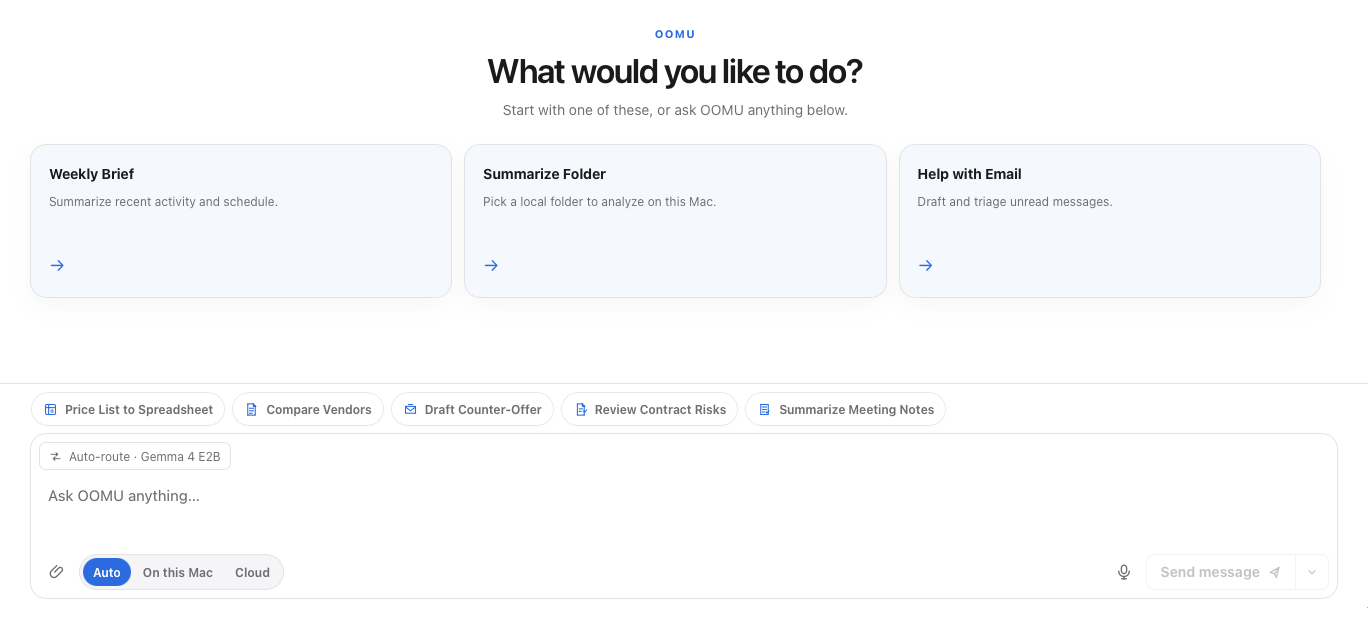
Point it at a folder of documents and get back a summary you can act on, with the source for every claim it makes.
The reply, the update, the weekly report. Draft it in your voice from the material you already have.
Turn a process you repeat into a workflow you can run again without rebuilding it from memory each time.
Set up assistants with the temperament the work needs, from a patient tutor to a blunt researcher.
One shortcut opens OOMU over whatever you are doing. Ask a question, check a sum, copy the answer, and carry on without switching windows.
Every run leaves a record. Read what happened, adjust the steps, run it again.
Everyone else has a Mac version. We only have a Mac.
Only on Mac
Cross-platform sounds generous. In practice it means building for the worst machine in the room and then handing that to everybody, including you.
OOMU makes the opposite trade. It uses the Mac in ways that would have to be ripped out to run anywhere else, and we would rather keep them.
This is not Mac styling. It is the reason the rest of this page is true.
What you need
The deal
We took the clause out. Use OOMU for your job. Use it for your clients. Use it at a company with five hundred people who all downloaded it themselves. Nobody is going to send you an invoice for having a productive Tuesday.
OOMU
Not a trial, not a teaser, not the useful parts taken out to push you upstairs. Local models, your own cloud keys when you want them, workflows, schedules, the record of every run. Complete, and free, and yours.
OOMU Control
Once twenty people at one company are running OOMU, somebody in IT has questions. Which models. Whose data. Who approved that. Control answers them in one place: which models are allowed, what every Mac is actually running, a record your security team can read, and deployment through the tools IT already has. That is the part you pay for. Not the AI.
Nothing that keeps you safe sits on the paid side of that line. Air-Gap Mode, your macOS permissions, your encrypted history, and the audit trail are the product, not the upsell.
Try it. Worst case, you drag it to the Trash.
Free, including at work. No card, no account, no sales call, no demo booked for a Tuesday three weeks from now.